Variables
Managing variables in your Skald project
Variables
Variables are reusable pieces of data that your narrative can store and use throughout your project. They let you track game state, player choices, and other important information across conversations.
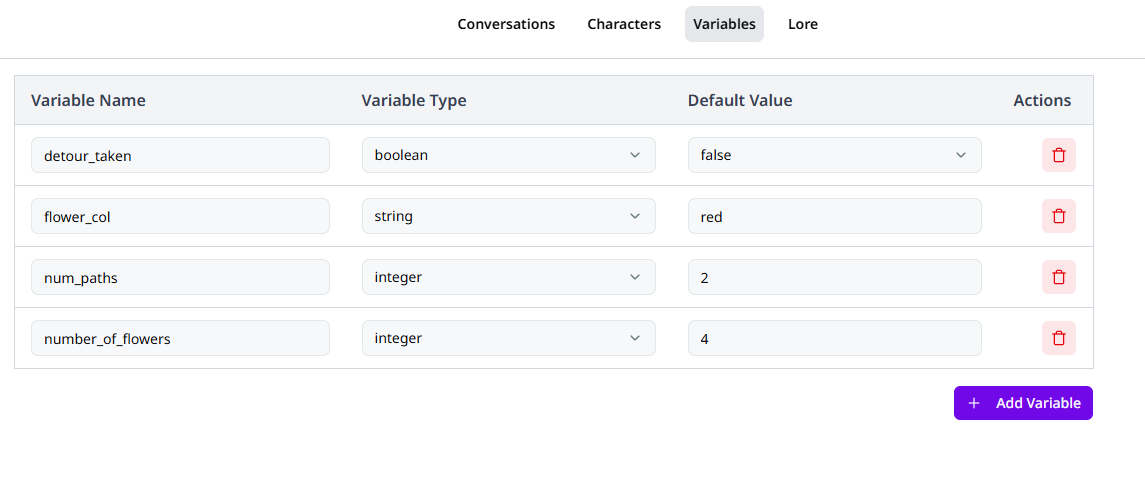
Creating a Variable
To create a new variable:
- Navigate to the Variables page in your project
- Click "Add Variable"
- Enter a unique name for your variable
- Select the appropriate variable type
- Optionally, set a default value
Changes are saved automatically.
Variable Types
String Variables
String variables store text data. They're perfect for:
- Dynamic dialogue text
- The player's name
- Values used for rich text
Tip
If a string variable is not going to change during the game, it would be better to use lore items instead.
Integer Variables
Integer variables store whole numbers only. They're ideal for:
- Score counters
- Item counts
- Level numbers
Float Variables
Float variables store decimal numbers. They are great when precision beyond whole numbers matters. Use them for:
- Percentages
- Progress values
Boolean Variables
Boolean variables store true/false values. Perfect for:
- Has weapon?
- Is hidden?
- Has completed quest?
- Door unlocked?
Boolean default value
Boolean variables default to false. They cannot be undefined.
Using Variables in Your Narrative
Variables can be referenced throughout your project using syntax depending on where you want to use the variable.
Given the following variable definitions:
| Name | Value |
|---|---|
player_name | John |
player_age | 30 |
flower_color | red |
door_unlocked | false |
| Node Type | Input | Result |
|---|---|---|
| Dialogue Node | The flowers were a beautiful {flower_color} colour | The flowers were a beautiful red colour |
| Assignment Node | player_age = 30 | From this point on, player_age will be 30 |
| Conditional Node | door_unlocked == true | This condition will evaluate to false |
Tip
Variable names are case-insensitive. The variable PlayerName and
playername cannot both exist.