Lore
Managing lore in your Skald project
Lore
Lore items capture background information about your world, characters, and settings. They help you organise knowledge about your narrative and make it easily available throughout your conversations.
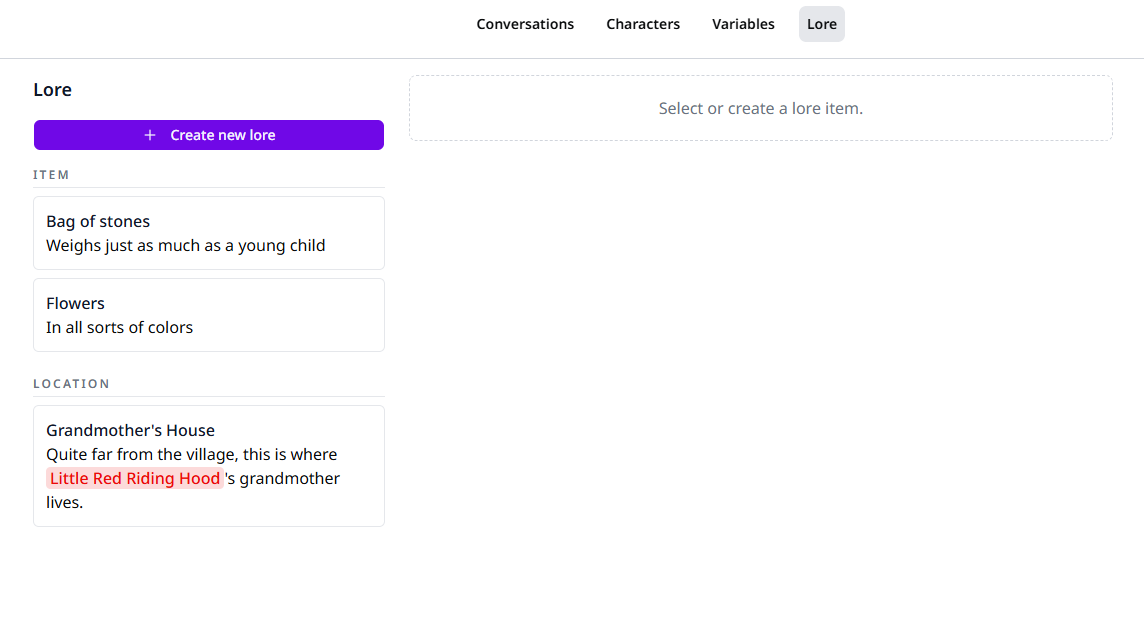
Creating Lore
To create a new lore item:
- Navigate to the Lore page in your project
- Click "Create new lore"
- Enter a unique name
- Choose a type that best describes this lore
- Optionally add a description
Lore Types
Lore types can be anything from items, locations, characters, to events or anything you think of. You define the type, and afterwards it will be suggested to you when creating new lore items.
Organise your lore items by choosing an appropriate type for each.
Editing Lore
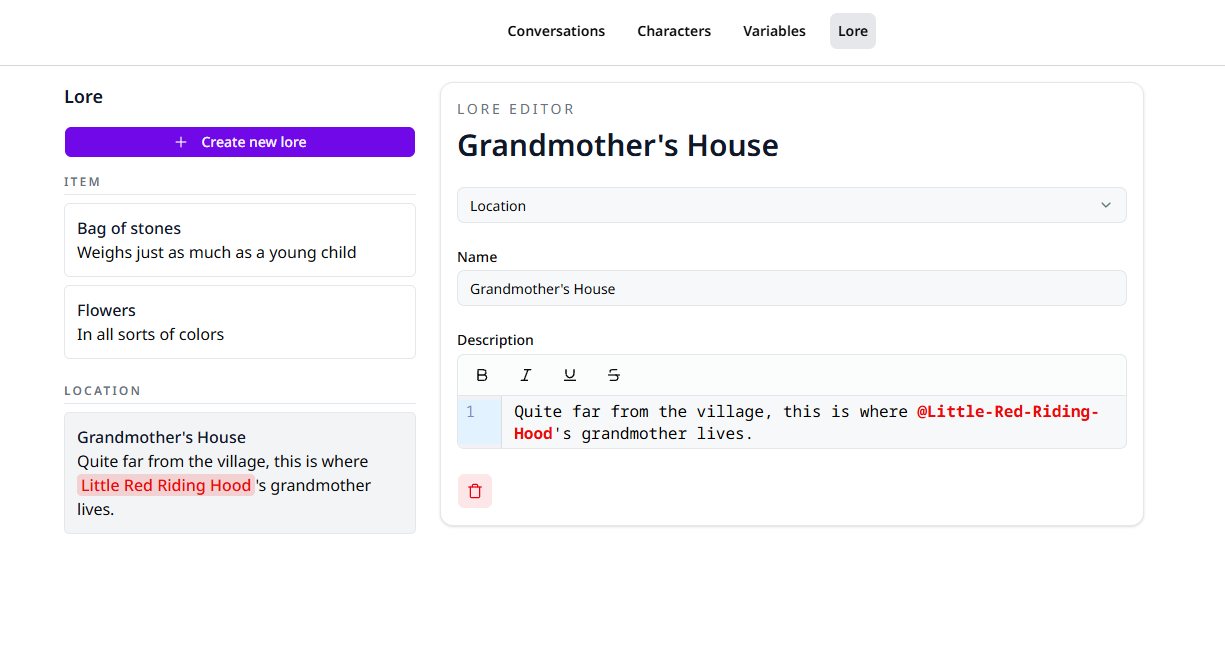
You can edit any of the lore details at any time in the editor by first selecting the item in the left lore list.
Updating Lore
Updates to lore items are automatically applied to all conversations using
that lore. However, if the lore is mentioned in conversations in plain text,
this is not automatically updated. To ensure the updated name is reflected in
conversations, make sure to mention lore using @ in rich text fields. See
mentioning.
Using Lore in Your Narrative
Lore items are referenced throughout your project using the @ syntax. You can mention lore items alongside characters in dialogue, player choices, or lore descriptions.
Tip
Lore items can be mentioned alongside characters in the same rich text field.
For example: @John told me about @theAncientVault, and that's where I found out about the @theForgottenKing.
See Using Rich Text for more information.