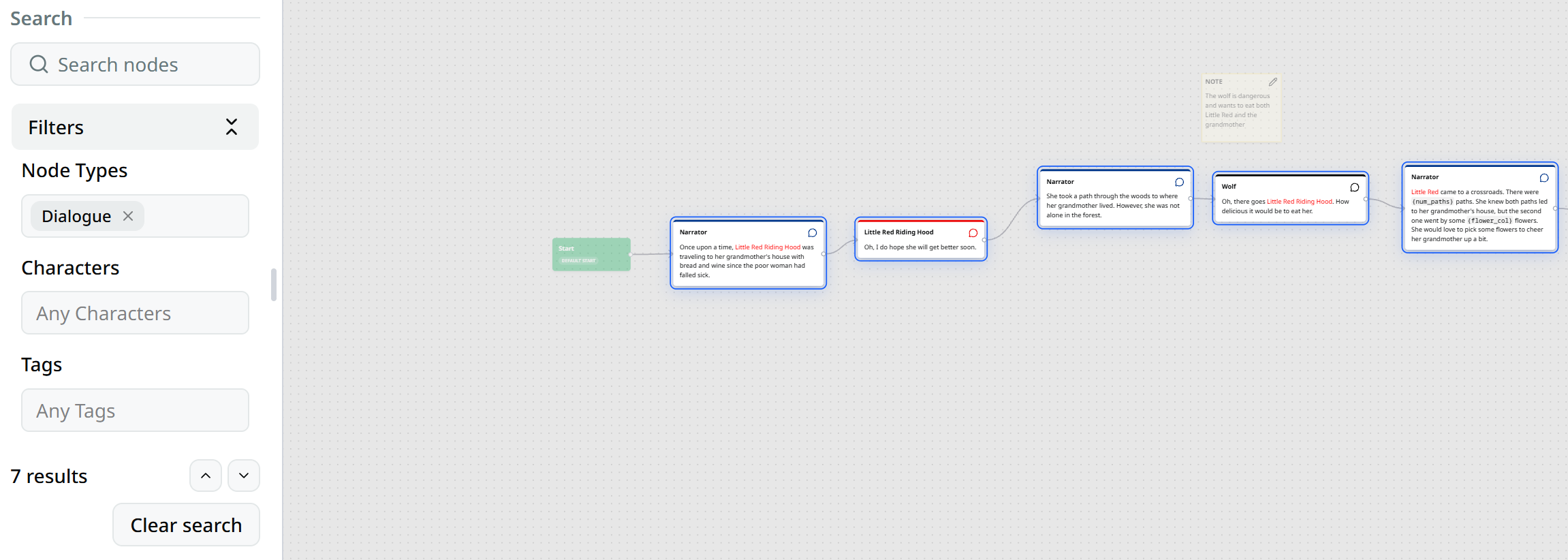
Sidebar
The sidebar houses previously visited conversations and the search filter.
The sidebar shows previously visited conversations and the search filter, enabling you to navigate your work efficiently.
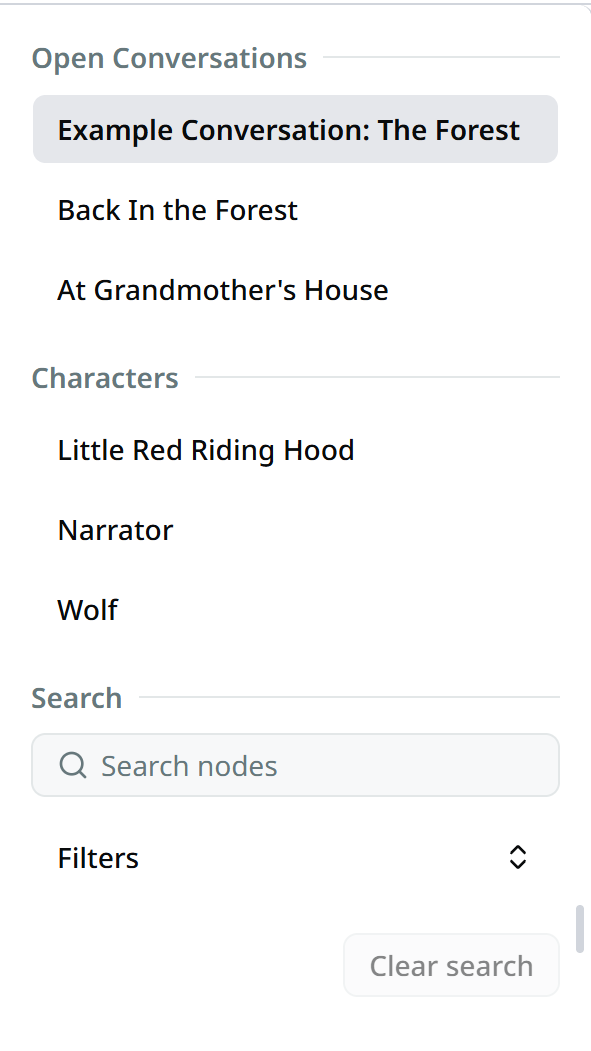
Sidebar Handle
The sidebar can be extended or hidden using the draggable handle in the middle of the sidebar.
Overview
The sidebar provides three main sections:
- Conversations Section — View and switch between previously visited conversations
- Characters Section — See and reuse characters already present in the current conversation
- Search Section — Filter and search within the current conversation
Open Conversations Section
The conversations section displays a list of previously visited conversations.
- Click on any conversation title to instantly switch to that conversation.
Description
You can also view and edit the description of the current conversation in the sidebar. It is using the rich text editor.
Characters Section
The characters section:
- Lists every character already present in the current conversation. You can quickly add dialogue for any of those characters by dragging their name onto the graph editor.
- Lets you filter nodes to show a specific character by clicking on their name in the sidebar.
Search Section
- The search section provides text-based filtering across nodes in the current conversation
- Results are highlighted directly in the graph editor for quick navigation
Usage
Use Ctrl/Cmd + F to focus the search input and the ↑/↓ buttons to
navigate through search results
Filter Functionality
Use the filters to highlight nodes based on their properties such as type or assigned character.