Importing a project
Importing your Skald projects
Importing a project
Importing a project is useful when you want to move a project from one computer to another or share it with another user.
How to import a project
To import a project:
- Open the project list.
- Select
Import Project. - Upload a
.skald-project.jsonfile. - Choose whether to create a new project or import into an existing one.
- Resolve any conflicts. See Conflict handling
- Complete the import.
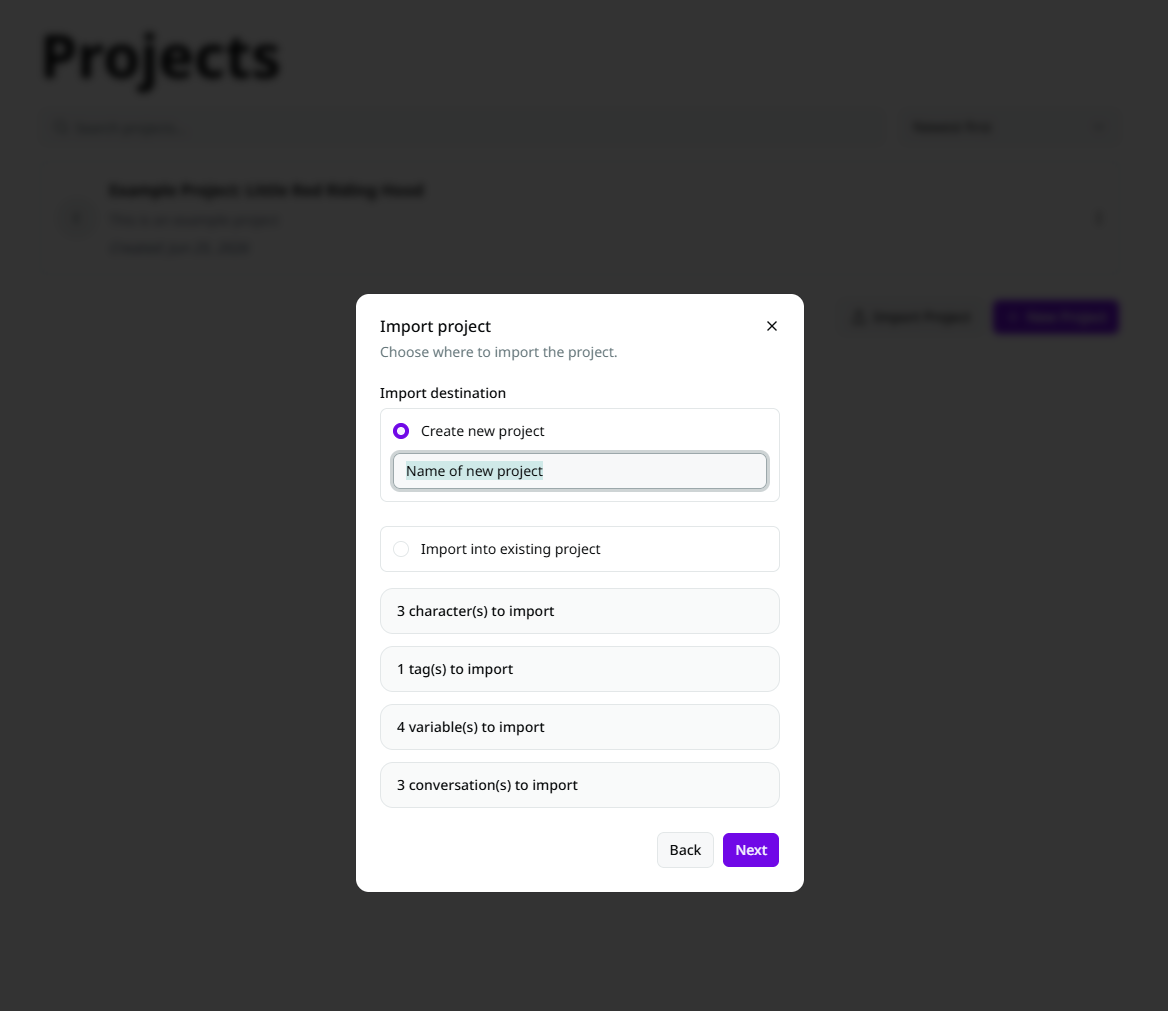
Import destinations
When importing, you can choose one of two destinations:
Create a new project
Skald will create a new project from the imported data. This is the default choice.
You must provide a unique project name.
Import into an existing project
Skald will add the imported data into an existing project.
This is useful if you want to merge content into a project you already use.
Conflict handling
If imported items have the same name as existing items, Skald will ask you how to handle the conflict.
You can choose:
- "Do not import" - Skips that item.
- "Rename" - Renames the imported item to a unique name, keeping the original and new item.
- "Overwrite" - Replaces the existing item.
Character assignment
If a project was exported without characters, but conversations still reference them, Skald will ask you to assign those references.
You can map each referenced character to:
- an existing character in the destination project
- or leave unassigned
Supported file format
Skald imports project exports in JSON format.
The file must be a valid Skald project export. Other JSON files are not supported.